
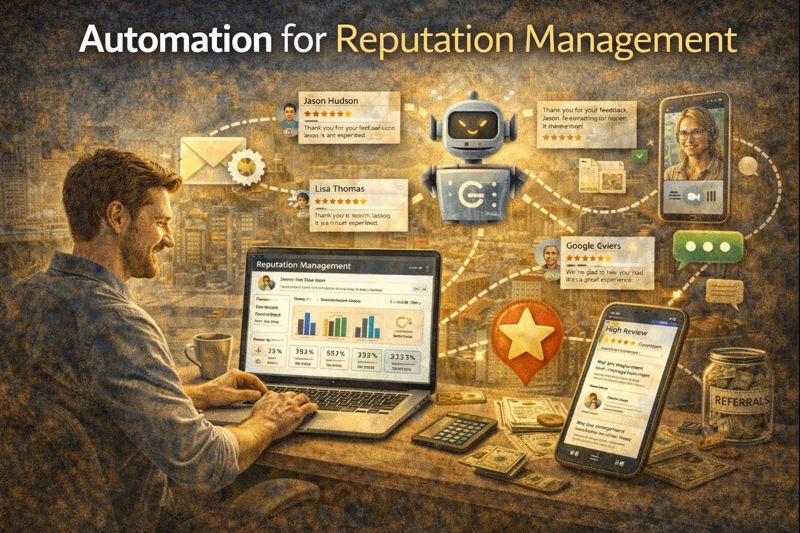
Automation for Reputation Management
Automation for Reputation Management
Reviews run the local business world. A business with 4.8 stars and 200 reviews will crush a competitor with 4.2 stars and 30 reviews—even if the second business is actually better.
This isn't fair, but it's reality. The businesses that win at reputation management aren't necessarily the best at their craft. They're the ones who systematically ask for reviews and handle feedback well.
Automation makes this systematic instead of sporadic.
The Reputation Challenge
Most businesses have a review problem that's actually an asking problem:
- Happy customers don't think to leave reviews unless prompted
- Unhappy customers are motivated to review without prompting
- Staff forgets to ask during busy periods
- Timing is inconsistent—sometimes asking immediately, sometimes never
The result: reviews skew negative because the angry customers are self-motivated while the happy ones need encouragement.
Automation fixes this by asking consistently, at the right time, every time.
The Basic Review Request Workflow
Trigger: Service completed or payment received
Step 1 — Satisfaction check (optional but recommended):
SMS: "Hey [Name], thanks for choosing us! How was your experience? Reply 1-5 (1 = poor, 5 = excellent)"
Branch logic:
- If 4-5: Proceed to review request
- If 1-3: Route to private feedback and alert team
Step 2 — Review request:
SMS: "Awesome, thanks for the feedback! Would you mind sharing that on Google? It really helps us out: [Google Review Link]"
Step 3 — Follow-up if needed:
Wait 3 days. If no review detected: Email follow-up with the same request.
Why the Satisfaction Check Matters
The satisfaction check isn't just polite—it's strategic.
If someone had a bad experience and you push them to review publicly, you've just encouraged a 1-star review. That's worse than no review at all.
The satisfaction check routes unhappy customers to private feedback. They get heard. You get a chance to fix things. And the public review request only goes to people likely to leave positive reviews.
This isn't manipulating reviews—it's being smart about when to ask for public feedback vs. private feedback.
Timing the Request
Timing matters. Ask too soon, and the customer hasn't fully experienced your service. Ask too late, and the emotion has faded.
For immediate services (salon, car wash, quick repairs):
Request same day or next day, while the experience is fresh.
For project-based services (contractors, agencies, consultants):
Request after project completion and final delivery, when satisfaction is confirmed.
For ongoing services (gym, subscription, retainer):
Request after a milestone—30 days, first completed project, first positive result.
Test different timing to see what generates the best response rate for your business.
Multi-Platform Review Requests
Google isn't the only review platform. Depending on your industry:
- Home services: Google, Yelp, Angi, HomeAdvisor
- Healthcare: Google, Healthgrades, Zocdoc
- Restaurants: Google, Yelp, TripAdvisor
- B2B: Google, Clutch, G2
You can rotate platforms or prioritize based on need. If you're strong on Google but weak on Yelp, send some requests to Yelp instead.
Advanced setup: Let customers choose. "Would you prefer to leave a review on [Google] or [Yelp]?" with links to both.
Handling Negative Feedback
When the satisfaction check returns a low score, automation should:
- Acknowledge and apologize: "I'm sorry to hear that. We take feedback seriously. What went wrong?"
- Alert the appropriate team member immediately
- Create a task for follow-up
- Do NOT send the public review request
The goal is to turn a complaint into a recovery opportunity. Often, customers who have complaints resolved well become your strongest advocates.
Once resolved, you can manually decide whether to request a review. Sometimes, after a great recovery, customers will leave a glowing review about how you handled the issue.
Review Monitoring and Response
Asking for reviews is half the equation. Responding to them is the other half.
Automation can help here too:
- Alert when new reviews appear (via Google Business Profile integration)
- Template responses for common situations
- Escalation for negative reviews needing personal attention
Response best practices:
- Respond to every review—positive and negative
- Personalize responses (use their name, reference specifics)
- For negative reviews: acknowledge, apologize, offer resolution offline
- Respond within 24-48 hours
The Review Flywheel
Good reputation management creates a flywheel:
- More reviews → Higher search ranking
- Higher ranking → More visibility
- More visibility → More leads
- More leads → More customers
- More customers → More review opportunities
- Repeat
Automation keeps the flywheel spinning by ensuring every completed job generates a review request, not just the ones you remember to ask about.
Review Request Best Practices
Be personal: Use first name, reference specific service if possible.
Be direct: "Would you mind leaving us a Google review?" beats "If you have time and wouldn't mind possibly considering..."
Be brief: Short messages get read. Long ones don't.
Make it easy: Include the direct link. Don't make them search.
Don't incentivize improperly: Offering discounts for reviews violates most platform terms of service. You can thank someone for leaving a review, but don't pay for them.
Don't ask people who had problems: Route negative experiences to private channels first.
Measuring Reputation Performance
Track these metrics:
Review request rate: What percentage of completed jobs generate a review request? (Should be near 100%)
Response rate: What percentage of review requests generate a review? (Benchmark: 5-15%)
Average rating: What's your average across platforms? (Goal: 4.5+)
Review velocity: How many new reviews per month? (More is better for SEO)
Response rate: What percentage of reviews get a response? (Goal: 100%)
Integration with CRM
When reputation management lives in your CRM:
- Review requests trigger based on real events (job complete, payment received)
- Customer history informs request timing and messaging
- Feedback ties to contact record for full context
- Analytics connect reviews to revenue sources
Standalone reputation tools miss this context. They don't know when jobs actually complete or which customers had issues. CRM-integrated reputation management is smarter because it has the data.
The Bottom Line
Reviews are too important to be random. The businesses that dominate local search have systematic, automated reputation management.
It's not complicated: ask happy customers to share their experience publicly. Ask unhappy customers to share privately so you can fix things. Do this consistently, at the right time, for every customer.
Automation makes this possible at scale, without relying on anyone's memory.
Start building your review automation.
Start Your 14-Day Free Trial


