
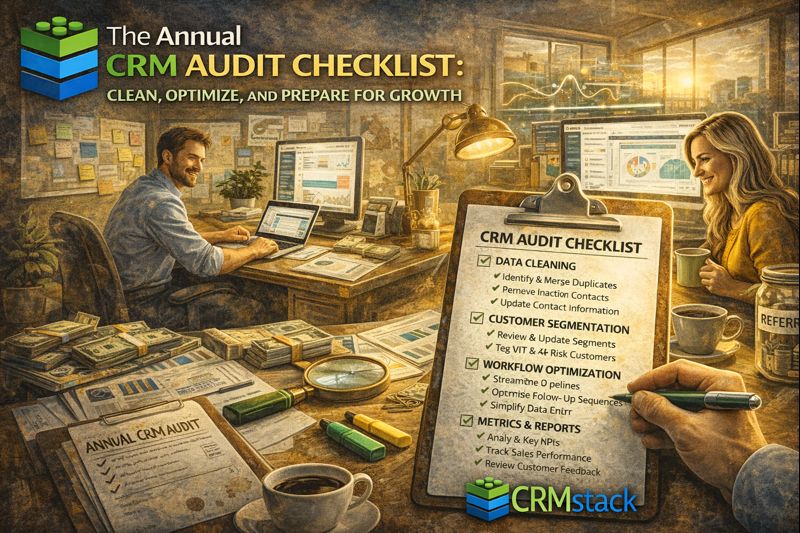
The Annual CRM Audit Checklist: Clean, Optimize, and Prepare for Growth
Your CRM collects data, runs automations, and tracks relationships. Over time, it also accumulates clutter: outdated contacts, abandoned workflows, unused tags, and configurations nobody remembers why they exist.
An annual audit keeps your CRM healthy and your data trustworthy. Here's a systematic approach.
Why Audit Your CRM
Data accuracy: Bad data leads to bad decisions. Wrong emails bounce. Old contacts waste resources. Inaccurate pipeline inflates forecasts.
System performance: Cluttered systems run slower. Unused automations consume resources. Messy configurations create confusion.
User adoption: A clean, well-organized CRM is easier to use. Team members engage more when the system makes sense.
Cost efficiency: Some CRMs charge by contacts. Removing dead data reduces costs.
Part 1: Contact Database Audit
Duplicate identification:
Run duplicate detection (most CRMs have built-in tools)
Merge duplicates, keeping most complete record
Establish processes to prevent future duplicates
Bounced/invalid contacts:
Identify hard bounced email addresses
Review contacts with no valid communication channel
Archive or delete permanently unreachable contacts
Unengaged contacts:
Identify contacts with no activity in 12+ months
Attempt reactivation campaign before removing
Archive or delete those who don't re-engage
Missing critical data:
Identify contacts missing key fields (email, phone, lead source)
Enrich data where possible
Establish data entry standards going forward
Part 2: Tag and Field Audit
Tag cleanup:
Export all tags, review the list
Identify duplicates ("VIP" vs "VIP Customer" vs "vip")
Consolidate similar tags
Delete unused tags
Document tag meanings and usage
Custom field review:
List all custom fields
Identify fields no longer used
Check for fields with inconsistent data
Standardize field values where needed
Delete obsolete fields
Establish naming conventions:
Tags: Prefix by category (Status_, Source_, Interest_)
Fields: Clear, descriptive names
Document and enforce going forward
Part 3: Pipeline Audit
Stage review:
Are stages still relevant to your sales process?
Are there stages deals skip or get stuck in?
Do stage names and criteria make sense?
Stale deals:
Identify deals with no activity in 60+ days
Review: still viable or should be closed lost?
Clean pipeline of dead opportunities
Lost deal analysis:
Review lost deals from past year
Identify patterns (lost at which stage? to which competitors? for what reasons?)
Use insights to improve process
Part 4: Automation Audit
Inventory automations:
List all workflows, sequences, and automations
For each: What does it do? Is it still needed? Does it work correctly?
Check for conflicts:
Are multiple automations triggering on the same event?
Are there conflicting actions?
Is anything sending duplicate messages?
Performance review:
Which automations have low engagement?
Which have high unsubscribe rates?
What can be improved?
Delete or archive:
Remove automations no longer used
Archive historical automations for reference
Part 5: Integration Audit
List all integrations:
What external tools connect to your CRM?
Are all integrations still needed?
Are they still working correctly?
Check data flow:
Test that data syncs correctly between systems
Identify sync errors or delays
Verify integration credentials haven't expired
Remove unused integrations:
Disconnect tools no longer used
Revoke access for security
Part 6: User and Permission Audit
User list review:
Remove former employees
Verify user roles and permissions are appropriate
Check for dormant accounts
Permission audit:
Who has admin access? Still appropriate?
Are permission levels aligned with roles?
Apply principle of least privilege
Part 7: Reporting Audit
Review existing reports:
Which reports are actually used?
Do they still provide useful information?
Are the metrics still relevant?
Identify gaps:
What questions can't you answer with current reports?
What decisions lack data support?
Build reports for identified gaps
Dashboard cleanup:
Remove unused widgets
Prioritize most important metrics
Ensure dashboards load quickly
Creating a Maintenance Schedule
Don't wait until next year for another audit. Establish regular maintenance:
Weekly:
Pipeline review—update stale deals
Quick check on automation performance
Monthly:
Duplicate check
Bounce management
Tag/field spot check
Quarterly:
Automation review
Integration check
User permission audit
Annually:
Full audit per this checklist
Strategic review of CRM fit and usage
Planning for coming year's needs
The Bottom Line
A CRM is only as good as its data and configuration. Annual audits keep things clean, accurate, and effective. The investment in cleaning up now pays dividends in better decisions and more efficient operations all year.
Start with a clean, optimized CRM.
Start Your 14-Day Free Trial


