
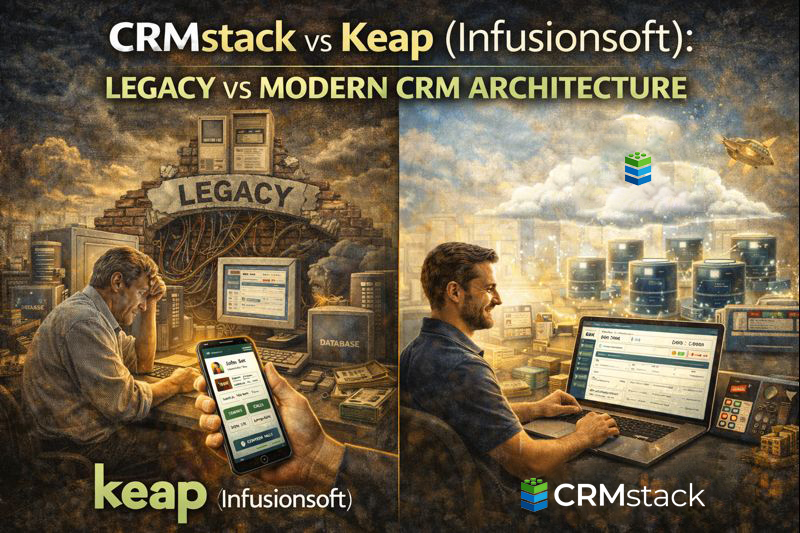
CRMstack vs Keap (Infusionsoft): Legacy vs Modern CRM Architecture
CRMstack vs Keap (Infusionsoft): Legacy vs Modern CRM Architecture
Keap (formerly Infusionsoft) pioneered small business CRM and marketing automation. For years, it was the go-to for small businesses wanting sophisticated automation without enterprise pricing.
But the market has evolved, and what was innovative in 2010 can feel dated in 2025. Here's an honest comparison.
The Infusionsoft Legacy
Infusionsoft (now Keap Max) earned its reputation with:
Campaign Builder: Visual automation builder that was revolutionary for its time. Complex, multi-path sequences with conditions, delays, and actions.
E-commerce integration: Order forms, upsells, payment plans—designed for selling digital products and services.
All-in-one approach: CRM, email, e-commerce, and automation before this was common.
The Modern Keap
Keap now offers two products:
Keap Pro: $159/month for 1,500 contacts. CRM, email, automation, landing pages.
Keap Max: $229/month for 2,500 contacts. Everything in Pro plus e-commerce, affiliate tracking, and the full campaign builder.
Both are improvements over legacy Infusionsoft in usability but still carry architectural decisions from a different era.
Where Keap Shows Its Age
Interface complexity: Despite updates, Keap can feel dense and confusing for new users. The learning curve is steeper than modern alternatives.
SMS limitations: SMS is available but not as integrated as modern platforms. It feels bolted on rather than native.
No AI: No conversational AI for lead engagement. Automation handles sequences, but not intelligent conversation.
Scheduling: Keap has scheduling, but it's not as polished as dedicated tools or modern CRM scheduling.
Contact pricing: Keap charges by contact count. Growing your list increases costs. CRMstack offers unlimited contacts.
Pricing Reality
Keap Pro: $159/month for 1,500 contacts
Keap Max: $229/month for 2,500 contacts
As you grow:
- 5,000 contacts: Add ~$50/month
- 10,000 contacts: Add ~$100/month
CRMstack: $297/month, unlimited contacts. For growing businesses, the math favors CRMstack as contact counts increase.
The Campaign Builder Question
Keap Max's Campaign Builder is powerful—perhaps too powerful. It can build incredibly complex automation, but:
- Complexity takes time to build and maintain
- Complex sequences are harder to debug
- Most businesses don't need that complexity
CRMstack's automation is simpler. For businesses with straightforward needs (respond to leads, nurture, book, follow up, request reviews), simpler is better.
Modern Expectations
Businesses today expect:
- Instant AI response to leads
- Seamless SMS and email in the same conversation
- Easy appointment booking
- Review management built in
- Unified inbox for all communications
Keap has some of these (email, basic scheduling, basic SMS). It's missing others (AI, unified inbox, native review management). Modern platforms were built with these expectations from the start.
Feature Comparison
| Feature | Keap Pro/Max | CRMstack |
|---|---|---|
| CRM | Yes | Yes |
| Email Marketing | Yes | Yes |
| Marketing Automation | Advanced | Good |
| SMS | Basic | Full |
| E-commerce | Yes (Max) | Basic |
| Scheduling | Basic | Full |
| AI Conversations | No | Full |
| Call Tracking | No | Full |
| Review Management | No | Full |
| Unified Inbox | Partial | Full |
| Unlimited Contacts | No | Yes |
When to Choose Keap
Keap makes sense if:
- You sell digital products with complex upsells and payment plans
- You need the advanced Campaign Builder for very complex sequences
- You're already invested in Keap and migration isn't worth the hassle
- E-commerce features are important to your business model
When to Choose CRMstack
CRMstack is better if:
- You're a service business (not selling digital products)
- AI lead response matters for competitive advantage
- You want modern SMS and conversation capabilities
- Your contact list is growing and you don't want contact-based pricing
- You prefer simpler automation that's easier to build and maintain
Migration from Keap
If you're on Keap and considering a move:
- Contacts export via CSV
- Automations need to be rebuilt (no direct import)
- E-commerce integrations need evaluation
Many Keap users find that their "complex" automations simplify significantly when rebuilt with modern assumptions (AI handling what used to require elaborate sequences).
The Bottom Line
Keap was groundbreaking. It's still functional. But the market has moved, and platforms built in the 2020s handle 2020s expectations better than platforms from 2010 with updates.
For service businesses wanting modern AI, SMS, scheduling, and review management—without per-contact pricing—CRMstack is the more modern architecture.
Modern CRM for modern business.
Start Your 14-Day Free Trial


