
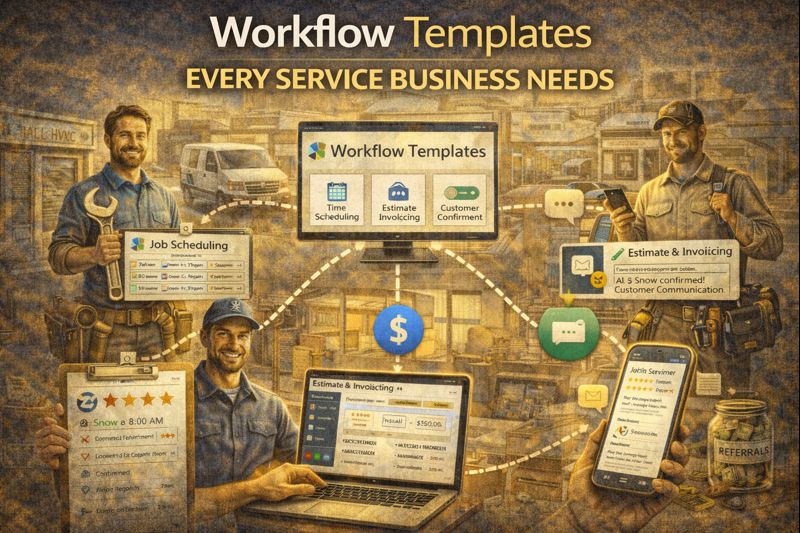
Workflow Templates Every Service Business Needs
Workflow Templates Every Service Business Needs
You don't need to reinvent the wheel. Service businesses—contractors, agencies, clinics, salons, consultants—share common processes. The workflows that make one successful apply to others.
Here are the core workflow templates every service business should have running, with specific triggers, actions, and logic.
1. New Lead Response
Purpose: Respond to incoming leads immediately and begin qualification.
Trigger: Contact created from form submission, web chat, or call
Actions:
- Immediate SMS: "Hey [First Name], thanks for reaching out! What can I help you with?"
- Wait 5 minutes
- If no reply → Send email with more information about services
- Create task: "Follow up with new lead" (assigned to sales rep)
- Add to pipeline: "New Lead" stage
Exit conditions:
- Reply received → Route to AI or human for conversation
- Appointment booked → Move to appointment workflow
Why it matters: Fast response is the single biggest factor in lead conversion. This ensures every lead gets immediate acknowledgment.
2. Appointment Confirmation and Reminder
Purpose: Confirm appointments and reduce no-shows.
Trigger: Appointment created
Actions:
- Immediate: Send confirmation email with appointment details and preparation instructions
- Immediate: Send confirmation SMS with date/time
- 24 hours before: Send reminder SMS: "Hi [Name], just a reminder about your appointment tomorrow at [Time]. Reply YES to confirm or let me know if you need to reschedule."
- 2 hours before: Send final reminder SMS
- Move pipeline to "Appointment Confirmed" if replied YES
Branch logic:
- If reply = reschedule request → Notify team member, offer new times
- If reply = cancellation → Update appointment, trigger re-engagement workflow
Why it matters: Confirmations and reminders dramatically reduce no-shows—typically cutting them in half or more.
3. No-Show Follow-Up
Purpose: Re-engage leads who missed appointments.
Trigger: Appointment marked as no-show
Actions:
- Wait 30 minutes: Send SMS: "Hey [Name], I noticed we missed you for your appointment. Everything okay? Happy to get you rescheduled."
- Wait 24 hours: If no reply → Send email with rescheduling link
- Wait 3 days: If still no response → Send final attempt SMS
- If still nothing → Add tag "No-Show - Cold" and add to long-term nurture
Why it matters: No-shows aren't necessarily lost leads. Life happens. A non-judgmental follow-up often recovers them.
4. Post-Appointment Follow-Up
Purpose: Maintain momentum after the appointment and move toward close.
Trigger: Appointment status changed to "Completed"
Branch based on outcome:
If sold/closed:
- Send thank-you email
- Update pipeline to "Won"
- Trigger onboarding workflow
- After project complete: Trigger review request workflow
If needs proposal/follow-up:
- Create task: "Send proposal to [Name]"
- Wait 24 hours: If proposal not sent → Reminder to team
- Once proposal sent: Start proposal follow-up sequence
If not interested:
- Send polite thank-you email
- Update pipeline to "Lost"
- Optional: Wait 30 days and add to re-engagement sequence
5. Proposal Follow-Up
Purpose: Follow up on sent proposals until decision is made.
Trigger: Pipeline moved to "Proposal Sent"
Actions:
- Wait 2 days: Send SMS: "Hey [Name], just checking in—did you get a chance to review the proposal? Happy to answer any questions."
- Wait 4 more days: If no response → Send email with value reinforcement
- Wait 5 more days: Send final follow-up: "I want to respect your time—should I keep this proposal active or should we reconnect later?"
Exit conditions:
- Proposal accepted → Pipeline to "Won," trigger onboarding
- Proposal declined → Pipeline to "Lost," trigger lost-deal sequence
- Asked to follow up later → Set task for future date
6. Review Request
Purpose: Generate reviews from satisfied customers.
Trigger: Project/service marked complete OR payment received (depending on business type)
Actions:
- Wait 1 day: Send SMS: "Hey [Name], thanks again for choosing us! If you have a moment, would you mind sharing your experience with a quick review? [Google Review Link]"
- Wait 3 days: If no review detected → Send follow-up email
- Optional: Wait 7 days → Final request
Logic: Only request reviews from contacts without complaint tags or negative feedback indicators. Route unhappy customers to private feedback instead.
7. Re-engagement for Stale Leads
Purpose: Revive leads that went cold.
Trigger: Contact has no activity for 30 days AND is in pipeline stages before "Won"
Actions:
- Send SMS: "Hey [Name], it's been a while! Still thinking about [Service]? We're here if anything has changed."
- Wait 7 days: If no response → Send email with new offer or content
- Wait 14 days: Final attempt: "Should I keep you on my list, or is now not the right time?"
Why it matters: Leads go cold for many reasons—timing, distraction, life events. A well-timed re-engagement brings some back.
8. Referral Request
Purpose: Turn happy customers into referral sources.
Trigger: Review left (positive sentiment) OR project completed (for high-satisfaction contacts)
Actions:
- Wait 3 days: Send email: "Thanks again for the kind words! If you know anyone else who could use [Service], I'd be grateful for the introduction. [Referral Link or Instructions]"
- Optional: Offer referral incentive if part of your model
9. Long-Term Nurture
Purpose: Stay top-of-mind with leads who aren't ready yet.
Trigger: Added to "Long-Term Nurture" segment (manual or via other workflows)
Actions:
- Send monthly email with value content (tips, case studies, seasonal info)
- Quarterly: Send more personalized check-in SMS
- Monitor for re-engagement signals (email opens, website visits)
- If signals detected → Move to active follow-up sequence
Implementing These Workflows
Don't build all nine at once. Start with:
- New Lead Response — Highest immediate impact
- Appointment Confirmation/Reminder — Reduces no-shows
- Review Request — Builds social proof over time
Once those are running smoothly, add the others based on where you're losing deals or opportunities.
Each workflow should be tested before going live. Run through every trigger and branch. Make sure messages sound human, timing makes sense, and exit conditions work properly.
The Bottom Line
These nine workflows handle 80% of what service businesses need. They ensure leads get quick response, appointments happen, customers are happy, and the pipeline keeps moving.
The businesses that implement these well have a systematic advantage over those who rely on memory and good intentions.
Get these workflows set up today.
Start Your 14-Day Free Trial


