
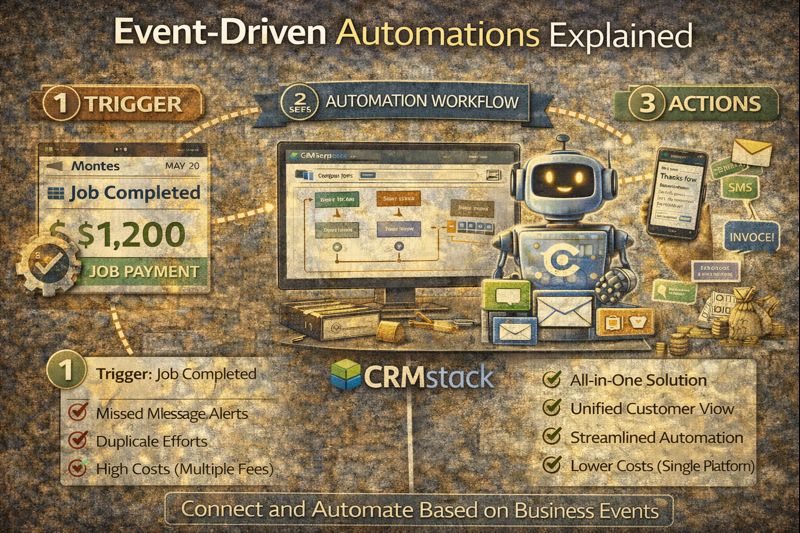
Event-Driven Automations Explained
Event-Driven Automations Explained
Most automation is time-based. Send an email on Day 1. Wait 3 days. Send another. Wait a week. Send a third.
Time-based automation works, but it's dumb. It doesn't know if the person responded. It doesn't know if they bought. It doesn't know if anything changed. It just sends.
Event-driven automation is different. It responds to what actually happens—not what's on the calendar.
What Is Event-Driven Automation?
Event-driven automation triggers based on events: things that happen in your system.
Form submitted → Event
Appointment booked → Event
Email opened → Event
Pipeline stage changed → Event
Payment received → Event
Tag added → Event
When an event occurs, the automation fires. When it doesn't, nothing happens. The system responds to reality, not schedules.
Time-Based vs. Event-Based
Time-based example:
Day 1: Send welcome email
Day 3: Send follow-up email
Day 7: Send offer email
Problem: What if they booked on Day 2? They still get the Day 3 and Day 7 emails, which are now irrelevant or annoying.
Event-based example:
Form submitted → Send welcome email
No response in 48 hours → Send follow-up
If appointment booked → Stop sequence, send confirmation
If still no response after 7 days → Send offer
The sequence responds to what the lead does. Booked? Great, stop selling and start confirming. No response? Keep nurturing. The same sequence handles different paths.
Common Event Triggers
In a CRM like CRMstack, events can include:
Contact events:
- Contact created
- Tag added or removed
- Custom field changed
- Contact merged
Communication events:
- Email sent, opened, clicked, replied
- SMS sent, delivered, replied
- Call completed, missed, voicemail left
- Chat message received
Pipeline events:
- Opportunity created
- Stage changed
- Opportunity won or lost
- Stale opportunity (no activity in X days)
Appointment events:
- Appointment booked
- Appointment confirmed
- Appointment cancelled or rescheduled
- Appointment completed
- No-show
Transaction events:
- Invoice created
- Payment received
- Payment failed
- Subscription renewed or cancelled
Each event can trigger automations—sending messages, updating records, creating tasks, moving pipelines, notifying team members.
Building Event-Driven Workflows
Let's build a real example: new lead follow-up.
Trigger: Contact created with source = "Website Form"
Actions:
- Send SMS: "Thanks for reaching out! I'll be in touch shortly."
- Wait 5 minutes
- If no SMS reply → Send email with more info
- Wait 24 hours
- If no appointment booked → Send SMS follow-up
- Wait 48 hours
- If still no engagement → Add to long-term nurture sequence
Exit conditions:
- If appointment booked at any point → Exit workflow, trigger appointment confirmation workflow
- If replied at any point → Exit automated sequence, notify human for personal follow-up
- If unsubscribed → Exit workflow, mark contact accordingly
This is responsive automation. It acts, waits for response, adjusts based on what happens, and exits appropriately. Very different from "send email on Day 1, 3, 7 regardless."
Conditional Branching
Events enable conditional branching—different paths based on what happens.
Example: Post-appointment workflow
Trigger: Appointment completed
Branch 1: If appointment outcome = "Sold"
- Send thank you email
- Trigger onboarding sequence
- Update pipeline to "Won"
Branch 2: If appointment outcome = "Needs follow-up"
- Create task for salesperson
- Schedule follow-up email for 3 days later
- Keep in current pipeline stage
Branch 3: If appointment outcome = "Not interested"
- Send polite close-out email
- Update pipeline to "Lost"
- Add to long-term nurture (in case they change their mind)
One trigger, three different paths, each with appropriate actions. This would be impossible with time-based automation.
Event Chains
Events can trigger events. This creates chains.
Form submitted → Creates contact → Triggers welcome workflow → Workflow sends SMS → Lead replies → Triggers conversation notification → Human responds → Human adds tag "Hot Lead" → Tag triggers high-priority workflow → Workflow books appointment → Appointment triggers confirmation workflow → Appointment completed triggers follow-up workflow...
Each event cascades into the next. The system handles complexity that would be impossible to manage manually.
Real-Time Response
Time-based automation has inherent delay. Even "send immediately" usually means "send when the next scheduled job runs," which could be minutes.
Event-driven automation can be truly real-time. Event occurs → Action fires. No waiting for a scheduler.
This matters for speed-sensitive actions. When a lead submits a form at 8:47 PM, you want the response at 8:47 PM, not 8:52 PM when the next batch job runs.
Avoiding Automation Conflicts
One risk with event-driven automation: multiple workflows triggering from the same event, creating duplicate or conflicting actions.
Lead fills out form → Workflow A sends welcome SMS. Workflow B also triggers and sends a different SMS. Lead gets two messages in 30 seconds.
Good automation design prevents this:
- Clear ownership of events (only one workflow per trigger type)
- Mutual exclusion logic (if already in Workflow A, don't enter Workflow B)
- Consolidated workflows (one workflow handles all actions for an event)
Plan your automation architecture before building. Know which workflows own which triggers.
Testing Event-Driven Automation
Before going live, test every path:
- Trigger the event. Did the expected action fire?
- Test each branch. Do all conditions work?
- Test exit conditions. Does the workflow stop when it should?
- Test edge cases. What happens if multiple events occur simultaneously?
Most CRMs have test modes that let you run workflows without sending actual messages. Use them.
Monitoring and Debugging
Event-driven automation can be complex. When something goes wrong, you need visibility:
- Workflow logs showing what fired and when
- Contact activity showing all automation actions taken
- Error notifications when workflows fail
- Analytics showing conversion rates through each workflow
If a lead complains "I never got a response," you should be able to trace exactly what happened: which workflow, which step, what went wrong.
AI + Event-Driven Automation
AI and event-driven automation complement each other.
AI handles conversational interactions—responding to messages, answering questions, booking appointments. Events track what happens in those interactions. Automation responds to those events.
Example flow:
- Lead texts your business (event: SMS received)
- AI responds conversationally
- AI books appointment (event: appointment booked)
- Event triggers confirmation workflow
- Workflow sends confirmation and adds reminders
The AI handles the conversation; the automation handles the systematic follow-through. Together, they create a system that's both responsive and reliable.
The Bottom Line
Time-based automation is predictable but dumb. Event-driven automation is responsive and intelligent.
The shift from "send on Day 3" to "send when X happens" transforms automation from annoying email blasts to responsive customer experiences.
Build your automations around events, and they'll adapt to what customers actually do—not what you scheduled before knowing anything about them.
Ready to build event-driven automations?
Start Your 14-Day Free Trial


