
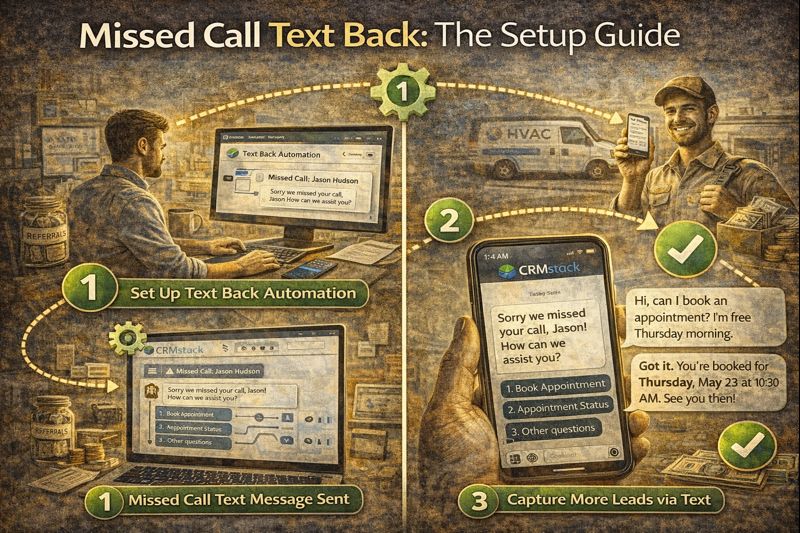
Missed Call Text Back: The Setup Guide
Missed Call Text Back: The Setup Guide
Here's a painful truth: you're missing calls. Even the most attentive business misses calls. You're with a client. You're in a meeting. It's after hours. The phone rings, goes to voicemail, and... silence.
Most callers don't leave voicemails anymore. They hang up and call the next business on their list.
Missed call text back solves this instantly. When you miss a call, the caller automatically receives a text message—within seconds—acknowledging the miss and keeping the conversation alive.
Why Missed Call Text Back Works
Three reasons this simple automation has massive impact:
1. Speed. The text goes out immediately—while the caller still has their phone in their hand, while they're still thinking about you. This is fundamentally different from returning a call hours later.
2. Channel preference. Many people prefer texting to calling anyway. The missed call text back opens a channel they might actually engage with more readily than a callback.
3. Acknowledgment. The caller knows they weren't ignored. Even a simple "Hey, I saw you called—what can I help with?" shows responsiveness.
The Basic Setup
In CRMstack, missed call text back takes about 5 minutes to configure:
Step 1: Define the trigger
Trigger: Call missed (no answer or goes to voicemail)
Step 2: Set conditions (optional)
You might want conditions like:
- Only during business hours (if you have after-hours coverage separately)
- Only for unknown numbers (existing clients might warrant different handling)
- Only if no text sent to this number in last hour (prevents duplicate messages)
Step 3: Craft the message
Keep it short and human. Examples:
"Hey, sorry I missed your call! What can I help you with?"
"Hi! Just missed you. Happy to help via text or I can call you back—what works better?"
"Thanks for calling [Business Name]! I'm with a client but saw your call. What's up?"
Step 4: Enable and test
Call your business number from another phone. Let it go to voicemail. Confirm the text arrives within seconds.
Advanced Configuration
AI-powered responses:
Instead of a static message, connect the text back to your AI employee. The AI can then continue the conversation—answer questions, qualify the lead, even book an appointment—without you touching anything.
Business hours logic:
During hours: "Hey, just missed you! I can call back in about 10 minutes, or feel free to text me what you need."
After hours: "Thanks for calling! We're closed for the day, but I'll reach out first thing tomorrow. Is there something specific I can help with?"
Known vs. unknown callers:
Unknown number: "Hi! Thanks for calling [Business]. What can I help you with?"
Existing contact: "Hey [First Name], sorry I missed you! What's going on?"
Caller ID matching:
If the phone number matches an existing contact in your CRM, the text can pull their name and reference past interactions.
Message Best Practices
Be conversational. "Hey, sorry I missed you!" beats "Your call to [Business] was not answered. Please leave a message."
Ask a question. Questions invite response. "What can I help with?" gets more replies than statements.
Offer options. "Text me back or I can call you—your preference?" lets the caller choose their preferred channel.
Keep it short. Under 160 characters if possible. The message should feel like a text, not a formal communication.
Sound like a human. Even if it's automated, it shouldn't read like automation. Use contractions. Be casual.
What Happens After the Text
The text is just the start. When the caller responds, you need to be ready:
Option 1: Human follow-up
You get notified of the response and handle it personally. Works for low volume or high-touch businesses.
Option 2: AI handles the conversation
The AI picks up the thread, answers questions, qualifies, and books if appropriate. Works for higher volume or after-hours situations.
Option 3: Hybrid
AI handles initial response and qualification. If the conversation needs a human, it escalates with full context.
Whatever the path, the missed call text back creates a contact record and starts a conversation thread. Everything is logged, visible, and actionable.
Measuring Impact
Track these metrics:
Text delivery rate: Are texts actually going out? (Should be near 100%)
Response rate: What percentage of missed-call texts get a reply? (Industry benchmarks: 30-50%)
Conversion rate: Of those who respond, how many become leads/appointments? Compare to non-missed-call leads.
Time savings: How much phone tag did this eliminate? (Hard to measure, but real)
Common Mistakes
Too salesy. "Thanks for calling! We have a special offer—25% off this week only!" This reads as spam. Don't sell in the text back; start a conversation.
Too formal. "Thank you for contacting [Legal Business Name LLC]. Your call is important to us." This reads as corporate voicemail. Be human.
Duplicate sends. Without proper logic, someone who calls twice might get two texts. Set a suppression window (no text if one was sent in the last hour to this number).
No follow-up system. Sending the text but having no system to handle responses. If someone replies and waits hours for a response, the text back made things worse, not better.
Integration with Call Tracking
Missed call text back works best with proper call tracking. When calls come through a tracked number:
- You know which marketing source generated the call
- The call is logged even if missed
- The text back can reference the source if relevant
- Conversion can be attributed properly
In CRMstack, call tracking and missed call text back are integrated—calls are logged, texts are sent, conversations are tracked, all on the same contact record.
Real Example
A roofing contractor enabled missed call text back. Previous pattern: 30% of calls went to voicemail, and less than 10% of those callers left messages or called back.
After enabling text back:
- 85% of missed calls received the text (some carrier issues with a small percentage)
- 42% of those texted back
- Of those who engaged via text, 60% booked estimates
Math: If 100 calls were missed monthly and 30% went unanswered before... that's 30 potential lost leads. With text back: 30 × 85% × 42% × 60% = 6-7 additional booked estimates. At an average job value of $8,000 and 30% close rate, that's roughly $15,000/month in additional revenue from a 5-minute automation setup.
The Bottom Line
Missed call text back is one of the highest-ROI automations you can implement. It takes minutes to set up, costs almost nothing to run, and catches leads that would otherwise disappear.
If you're not doing this already, it should be your first automation priority.
Set up missed call text back in minutes.
Start Your 14-Day Free Trial


